
Appearance
软件使用心得
xterminal
内网穿透
1.ssh开启配置
shell
echo "GatewayPorts yes">>/etc/ssh/sshd_config && systemctl restart sshd2.配置xterminal
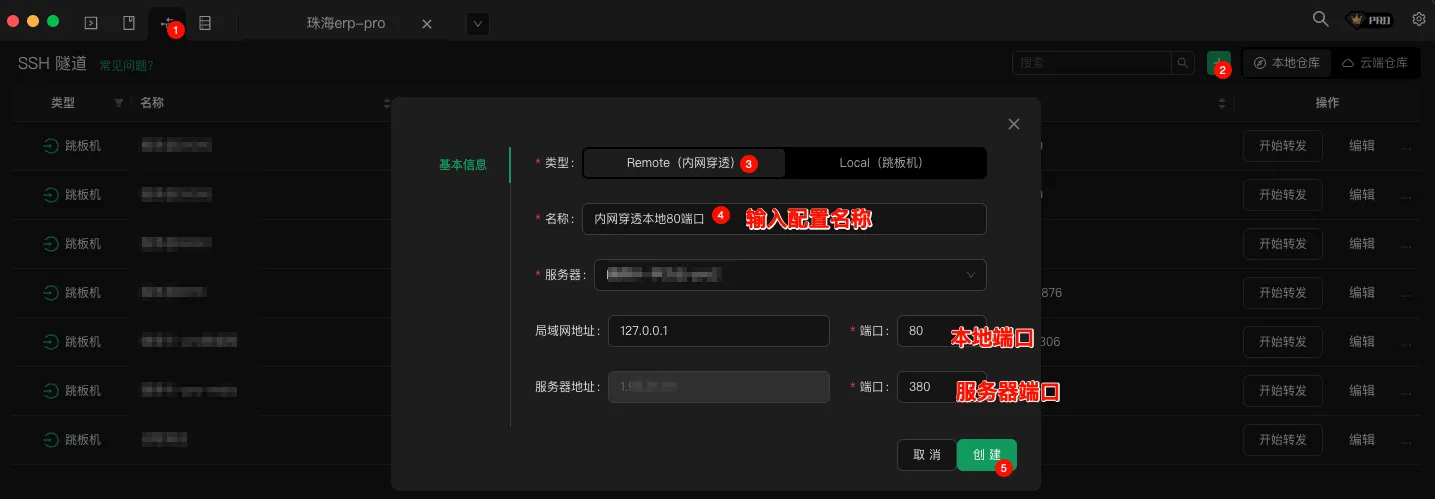
3.验证
访问 服务器ip:380 即访问 本地:80
apifox
妙用curl
1.复制浏览器请求
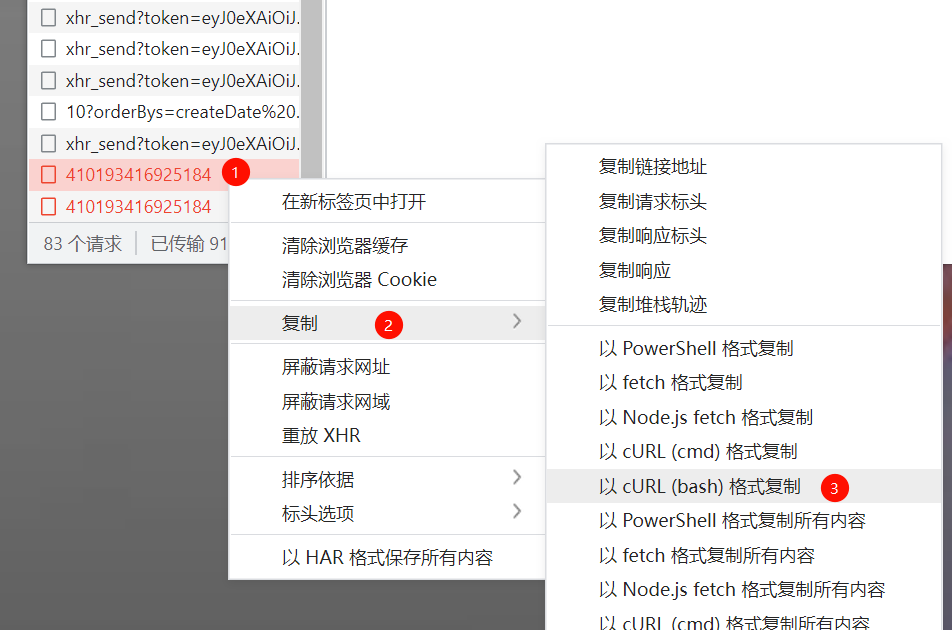
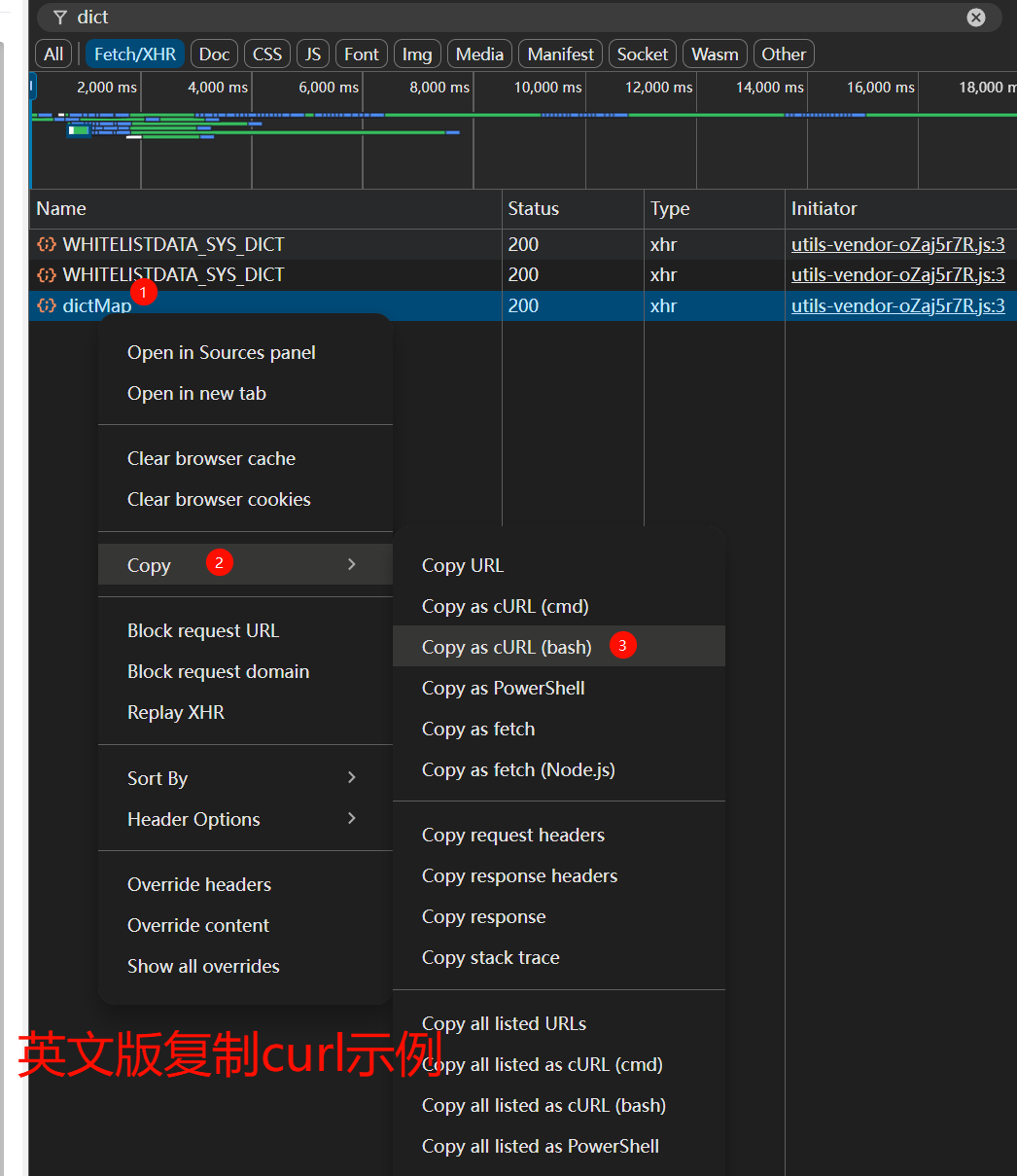
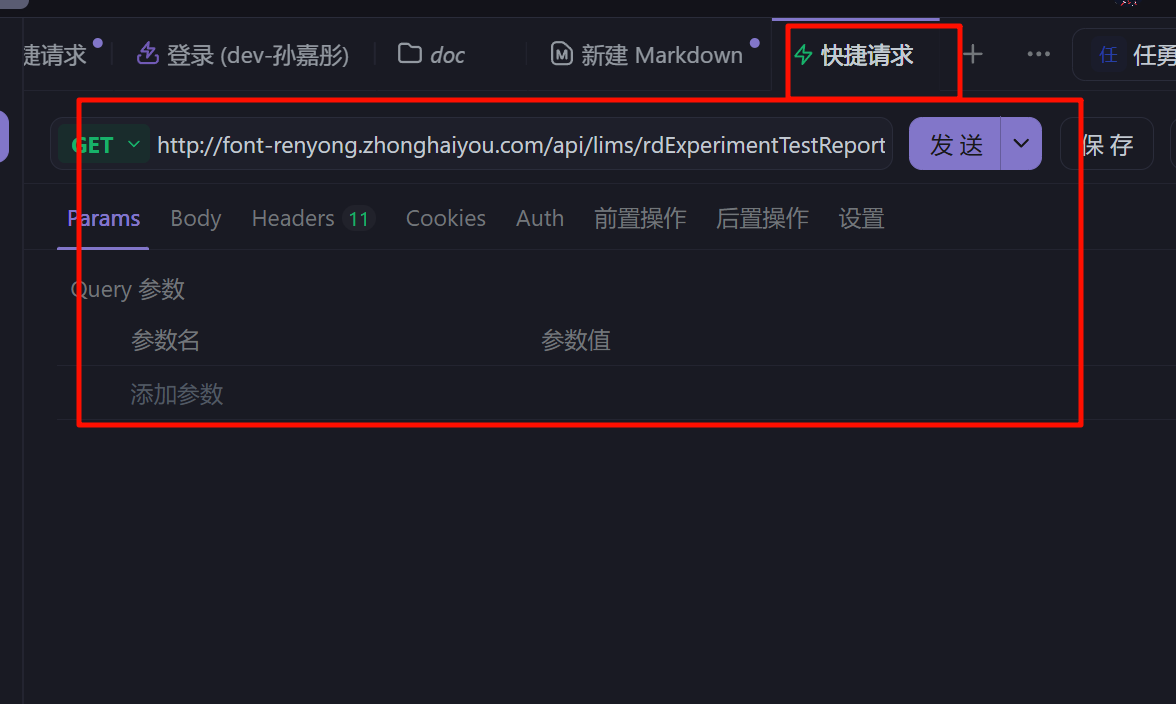
2.导入curl
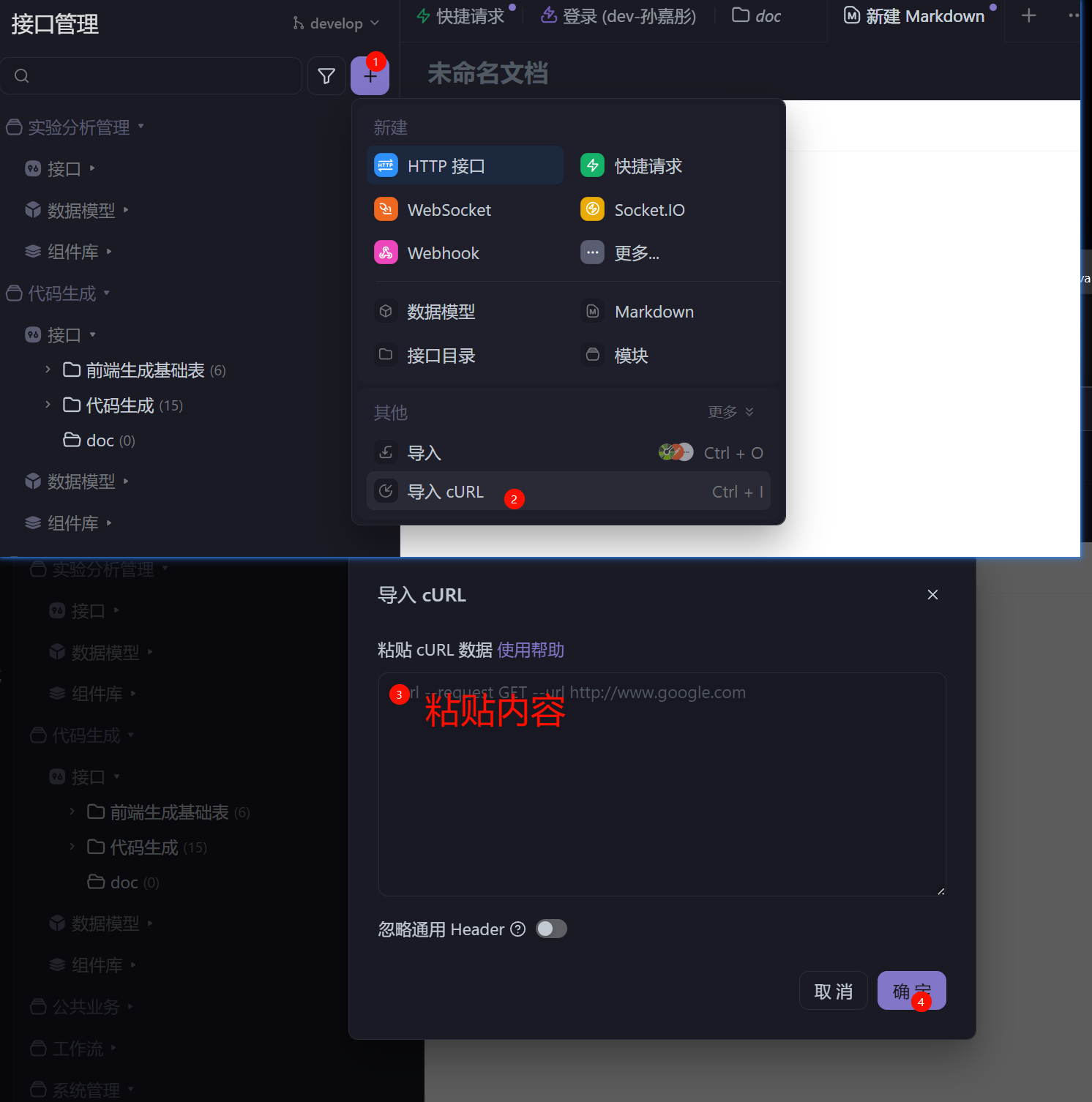
3.使用快捷请求
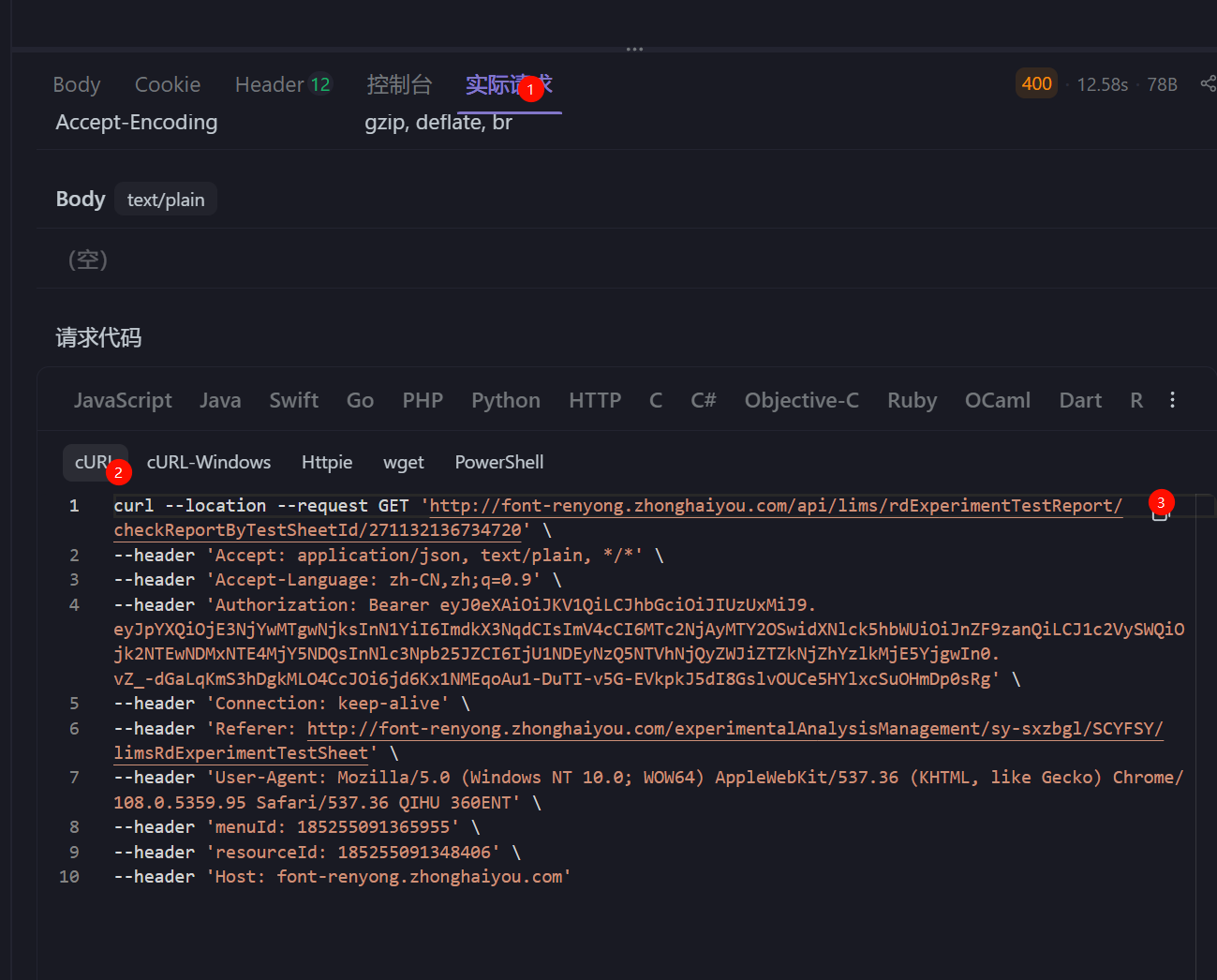
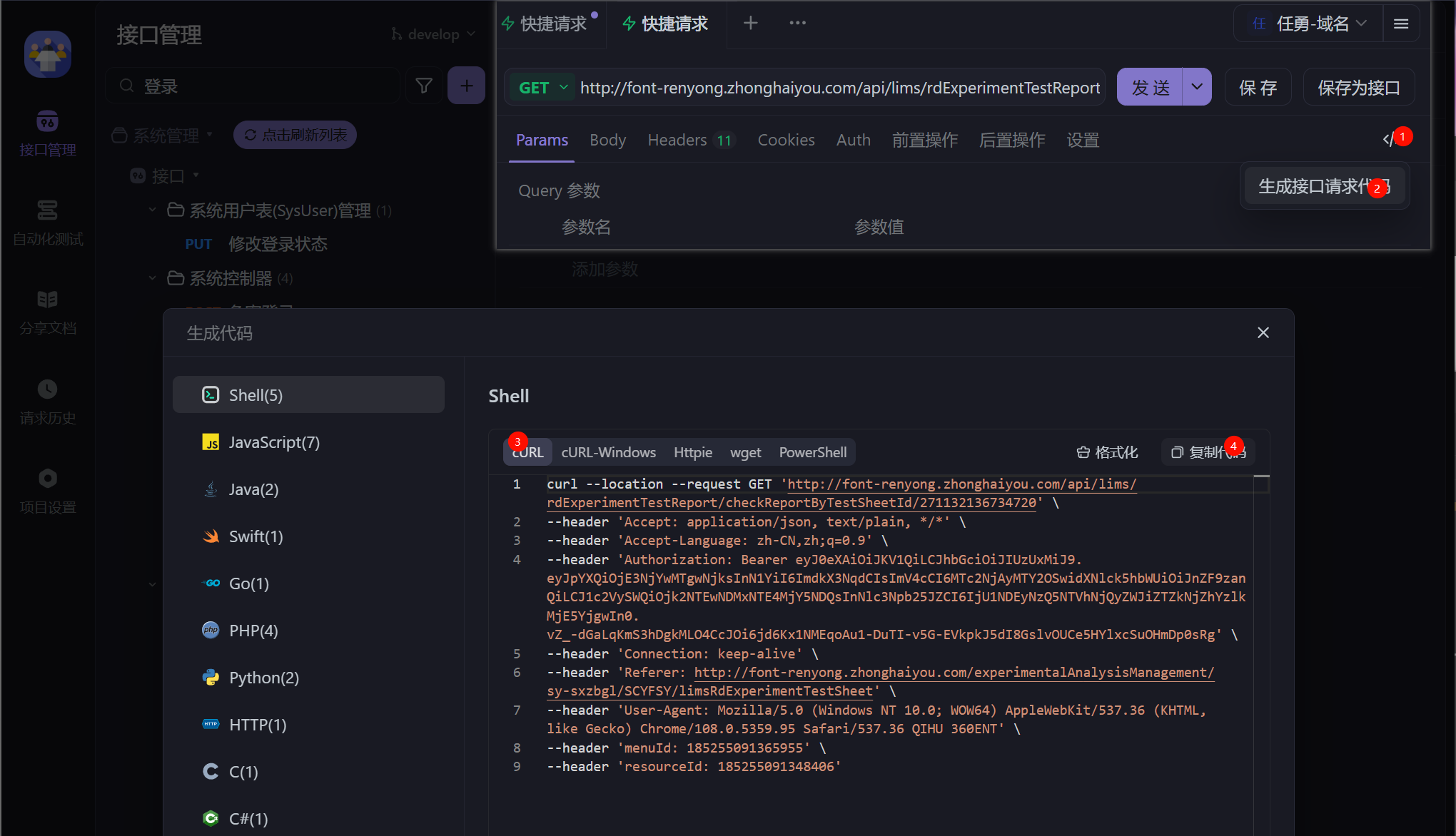
4.工具内复制curl
已发送请求
未发送请求
vs code
内置控制台
1. 添加配置
在 .vscode/settings.json 中添加如下配置
json
{
  "configurations": [
    {
      "type": "java",
      "name": "Spring Boot-App<cosl-oc-bmop>",
      "request": "launch",
      "cwd": "${workspaceFolder}",
      "mainClass": "com.cosl.oc.bmop.App",
      "console": "internalConsole",
      "projectName": "cosl-oc-bmop",
      "args": "",
      "env": {
        "SPRING_PROFILES_ACTIVE": "local"
      },
      "envFile": "${workspaceFolder}/.env"
    }
  ]
}关键点:"console": "internalConsole"
2. 启动调试
在底部的【调试控制台】输出日志,还可以清理日志、搜索日志。
默认终端设置为 git-bash
json
{
  "terminal.integrated.defaultProfile.windows": "Git Bash"
}aTrust
| 公司名 | 服务地址 |
|---|---|
| 海油 | https://vpn.cosl.com.cn |
| 中法 | https://vpn.cfbgc.com |
wps 根据某列数据,自动合并相同数据的行
alt+f11插入模块,粘贴以下脚本
vb
Sub 按E列分组合并A到H列()
    Dim ws As Worksheet
    Dim lastRow As Long
    Dim i As Long, j As Long
    Dim startRow As Long
    Dim currentGroup As String

    Application.DisplayAlerts = False
    Application.ScreenUpdating = False

    Set ws = ActiveSheet
    lastRow = ws.Cells(ws.Rows.Count, "E").End(xlUp).Row
    startRow = 2 ' 从第2行开始,跳过表头

    ' 遍历每一列(A到H)
    For j = 1 To 8
        i = startRow
        Do While i <= lastRow
            ' 当前组的E列值
            currentGroup = ws.Cells(i, "E").Value
            Dim mergeStart As Long
            mergeStart = i

            ' 在同一组内,找连续相同的单元格
            Do While i <= lastRow And _
                     ws.Cells(i, "E").Value = currentGroup And _
                     ws.Cells(i, j).Value = ws.Cells(i - 1, j).Value
                i = i + 1
            Loop

            ' 如果有连续多行相同,进行合并
            If i - mergeStart > 0 Then
                ws.Range(ws.Cells(mergeStart - 1, j), ws.Cells(i - 1, j)).Merge
            End If

            i = i + 1
        Loop
    Next j

    Application.DisplayAlerts = True
    Application.ScreenUpdating = True

    MsgBox "按E列分组合并完成!", vbInformation
End Subalt+f8运行脚本
maven 修改内置 JAVA_HOME
shell
@REM ==== 强制写死 JAVA_HOME 为 JDK8 ====
set JAVA_HOME=D:\Program Files\Java\java-se-8u43-ri